Learning & Education

Learn faster with a study-ready AI workspace

Carry syllabus topics, exam dates, and study preferences into every session for plans, explanations, and flashcards.

Free · no credit card · about 2 minutes

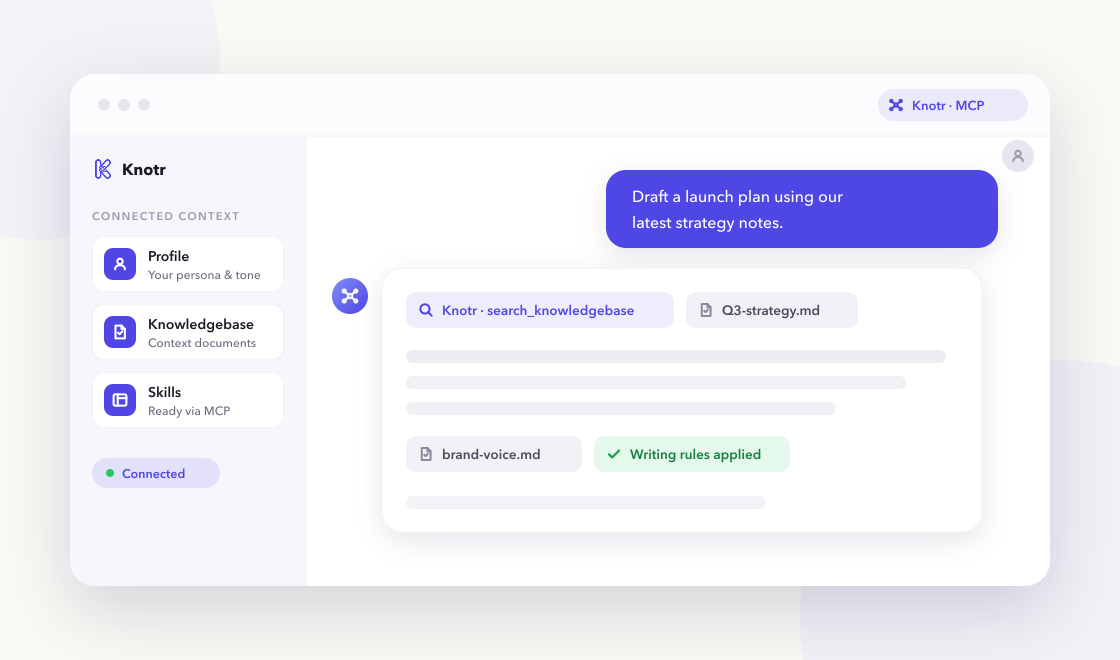
A chat-based AI assistant referencing Knotr profile, knowledgebase, and skills over MCP

Why it helps

Effective learning depends on consistent study structure and your actual schedule. Knotr stores that trusted knowledge so AI-assisted study sessions stay on track.

  • Generate spaced study plans from your syllabus and deadlines

  • Get Feynman-style explanations tuned to your level

  • Build flashcards from your notes for spaced repetition

Skills ready on day one

3 vetted skills with 58 community additions linked to your profile as soon as you apply the pack.

Call these from your AI tools right away.

Spaced schedules from syllabus topics and exam dates.

Creates spaced study schedules from syllabi and exam dates—breaking topics into daily sessions with review cadence and practice-test slots.

study learning exam
By @knotr_catalog · Learning & Education 22 additions

Plain-language explanations with analogies and check questions.

Explains complex topics in plain language using analogies and comprehension checks— suitable for students or professionals learning a new domain.

teaching explanation learning
By @knotr_catalog · Learning & Education 20 additions

Q&A flashcards from notes or textbook excerpts.

Generates question-and-answer flashcards from notes or excerpts—atomic cards, clear prompts, and tags for import into spaced-repetition tools.

flashcards spaced-repetition
By @knotr_catalog · Learning & Education 16 additions

Context your AI can search

Editable starter notes in "Study Context" so answers reflect how your team works:

  • Active Courses & Exam Dates
  • Study Schedule & Capacity
  • Learning Preferences & Tools

Ideas to supplement later

  • Syllabus or course outline PDFs
  • Past exam topics that repeated
  • Preferred study hours and session length
  • Tools you use (Anki, Notion, etc.)
  • Topics you find hardest

Writing that stays on-brand

"Study Materials Writing". Plans, explanations, and flashcards optimized for recall.

On eligible accounts, lint drafts from any connected AI tool with MCP check_style so PR descriptions, docs, and updates match your standards. Free accounts include one Style Guide from a Starter Pack.

  • One concept per flashcard when possible
  • Build from intuition to formal definitions
  • Flag when material exceeds available study time

Artifacts you might publish

Durable, shareable outputs people in this role publish with Knotr. Create yours after signup.

Document

Study Plan

A spaced study plan you can revisit and adjust as exam dates approach.

Page

Exam Prep Cheat Sheet

A hosted quick-reference page for the topics you find hardest.

Common questions

Is Knotr free to start?
Yes. Sign up free with no credit card. Starter packs apply in about two minutes.
Do I need to code?
No. You can edit knowledgebase notes in the browser and connect Cursor, Claude, ChatGPT, or Gemini when you are ready.
How is my data handled?
Your knowledge stays in your workspace. See our Privacy Policy and Terms of Service for details.
Which AI tools work with Knotr?
Any MCP-compatible client, including Cursor , Claude Code , Claude , ChatGPT , and Gemini . Connected tools can keep the work as shareable artifacts. Gemini is instructions-only. For ChatGPT, open your profile's Integrations tab and click Connect on ChatGPT (one install per profile). See Works with for a short overview of each client.
Can I publish and share what I create?
Yes. Artifacts let you and your AI tools publish versioned documents and pages to a shareable link inside Knotr, and keep them in sync with your knowledgebase notes. Group several into a Collection to present them in order.

Ready to get started?

Sign up free, confirm your starter pack, and start working with role-ready context in a few clicks.

Free · no credit card · about 2 minutes