Operations & Project Management

Keep operations running with a structured AI playbook

Give AI-assisted planning and incident work the same ceremony formats, escalation paths, and runbook voice your team already uses.

Free · no credit card · about 2 minutes

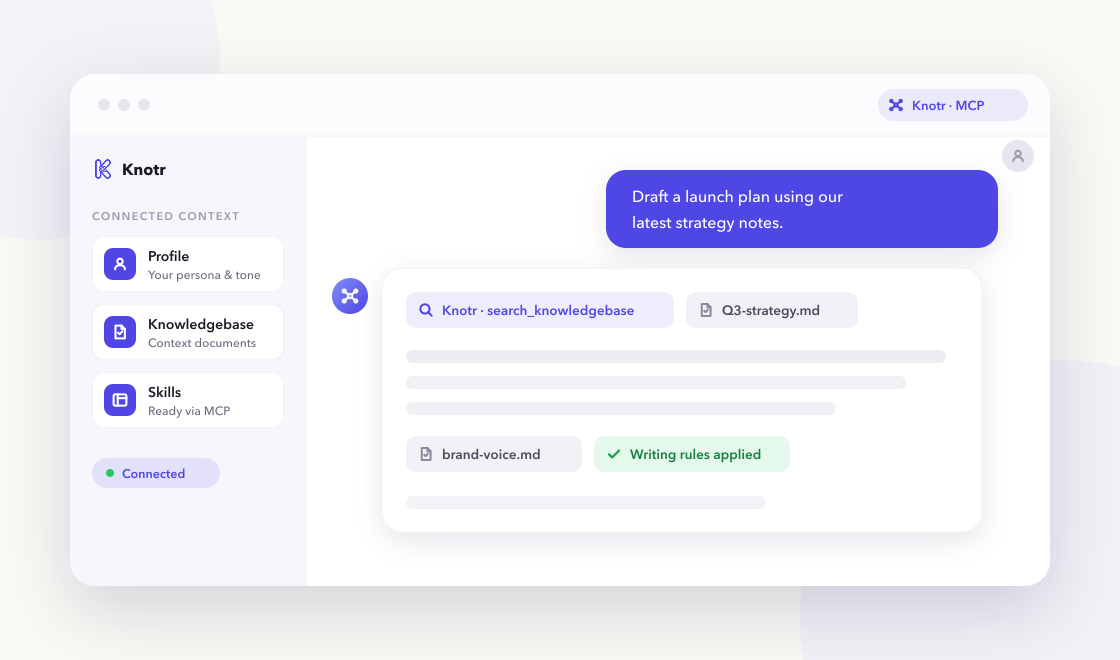
A chat-based AI assistant referencing Knotr profile, knowledgebase, and skills over MCP

Why it helps

Operations and project teams need consistent ceremony formats, escalation paths, and runbook voice. Knotr bootstraps that trusted knowledge so AI-assisted planning and incident work matches your severity definitions and working agreements.

  • Plan sprints, author runbooks, and write postmortems with consistent structure

  • Keep team cadence, service ownership, and incident response context in one place

  • Communicate incidents and ops updates with blameless, step-by-step clarity

Skills ready on day one

3 vetted skills with 75 community additions linked to your profile as soon as you apply the pack.

Call these from your AI tools right away.

Blameless postmortems with timeline, root cause, and action items.

Drafts blameless incident postmortems with timeline, impact, root cause analysis, and tracked action items—suitable for engineering and leadership review.

incident postmortem sre
By @knotr_catalog · Operations & Project Management 29 additions

Step-by-step runbooks for on-call and recurring operational tasks.

Authors on-call runbooks with prerequisites, step-by-step procedures, rollback paths, and verification checks—so responders can execute under pressure.

runbook on-call ops
By @knotr_catalog · Operations & Project Management 25 additions

Context your AI can search

Editable starter notes in "Operations Playbook" so answers reflect how your team works:

  • Team Cadence & Working Agreements
  • Service Catalog & Ownership
  • Incident Response Guide

Ideas to supplement later

  • Existing runbooks (import or link per service)
  • Postmortem archive with action-item tracking
  • Cross-team dependency map
  • Release/change calendar and freeze windows
  • Vendor/contact list for third-party outages

Writing that stays on-brand

"Operations & Incident Writing". Runbooks, incident comms, and postmortems with blameless clarity.

On eligible accounts, lint drafts from any connected AI tool with MCP check_style so PR descriptions, docs, and updates match your standards. Free accounts include one Style Guide from a Starter Pack.

  • Use imperative steps with expected output in runbooks
  • Apply blameless language in incidents; no finger-pointing
  • Label severity consistently (SEV1–SEV4) in comms templates

Artifacts you might publish

Durable, shareable outputs people in this role publish with Knotr. Create yours after signup.

Document

Incident Postmortem

Published as a versioned record after every SEV1/2, so the timeline and action items stay easy to find.

Page

On-Call Runbook

A hosted page teammates can open directly during an incident, without digging through a wiki.

Grow your library when you are ready

After signup you can connect these skill-only plugin repos (no MCP or OAuth required). Knotr syncs the marketplace so you can browse and import individual skills later. Imports are not automatic, so you stay within your plan's skill limit.

anthropics/claude-plugins-official

Security Guidance

OWASP-oriented security warnings on edits help catch risky changes during incident response and runbook updates.

security incidents

mattpocock/skills

Diagnosing Bugs

Featured skill: diagnosing-bugs

Structured root-cause workflows complement runbook authoring when production issues need systematic diagnosis.

debugging incidents

Common questions

Is Knotr free to start?
Yes. Sign up free with no credit card. Starter packs apply in about two minutes.
Do I need to code?
No. You can edit knowledgebase notes in the browser and connect Cursor, Claude, ChatGPT, or Gemini when you are ready.
How is my data handled?
Your knowledge stays in your workspace. See our Privacy Policy and Terms of Service for details.
Which AI tools work with Knotr?
Any MCP-compatible client, including Cursor , Claude Code , Claude , ChatGPT , and Gemini . Connected tools can keep the work as shareable artifacts. Gemini is instructions-only. For ChatGPT, open your profile's Integrations tab and click Connect on ChatGPT (one install per profile). See Works with for a short overview of each client.
Can I publish and share what I create?
Yes. Artifacts let you and your AI tools publish versioned documents and pages to a shareable link inside Knotr, and keep them in sync with your knowledgebase notes. Group several into a Collection to present them in order.

Ready to get started?

Sign up free, confirm your starter pack, and start working with role-ready context in a few clicks.

Free · no credit card · about 2 minutes