Personal Productivity

Stay organized with a personal AI workspace

Carry your projects, meeting norms, and writing preferences into every AI session so reviews, notes, and updates stay consistent.

Free · no credit card · about 2 minutes

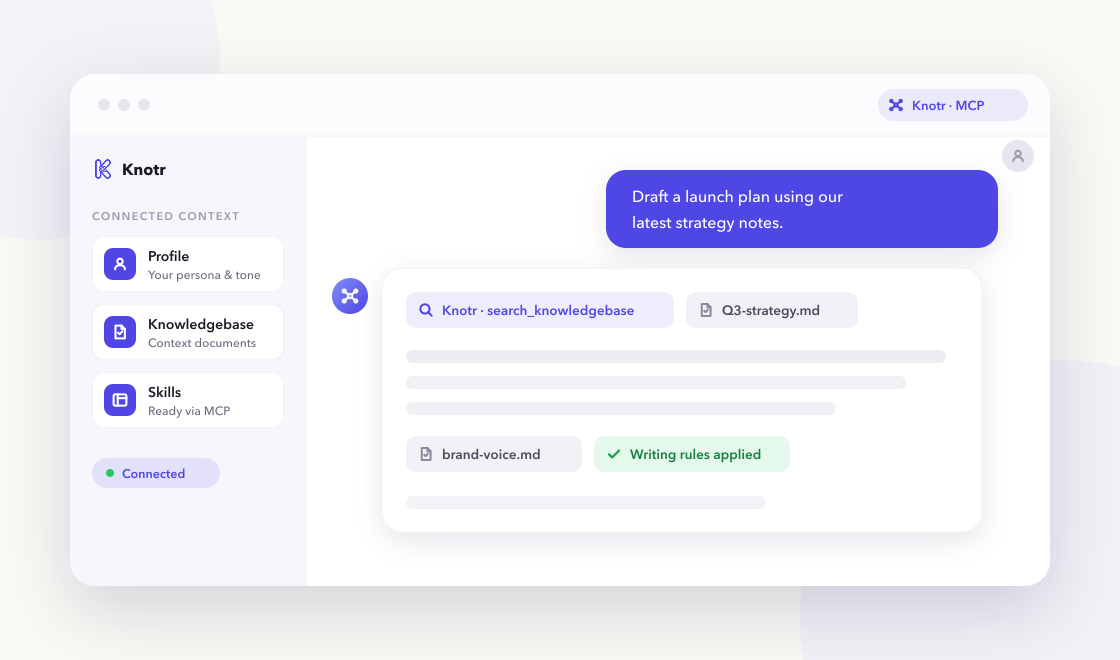
A chat-based AI assistant referencing Knotr profile, knowledgebase, and skills over MCP

Why it helps

Personal productivity gains come from consistent capture formats and reusable workflows. Knotr gives you a lightweight workspace so your AI tools know your projects, meeting map, and writing preferences without starting from scratch each session.

  • Run weekly reviews, summarize meetings, and write clear commits without re-explaining your context

  • Keep active projects, meeting norms, and work preferences where your AI can find them

  • Produce concise notes and status updates with a consistent personal voice

Skills ready on day one

3 vetted skills with 83 community additions linked to your profile as soon as you apply the pack.

Call these from your AI tools right away.

Conventional commit subjects and bodies from change summaries.

Converts diff summaries into conventional commit subjects and optional bodies—right type, scope, and under 72 characters for the subject line.

git commits
By @knotr_catalog · Personal Productivity 31 additions

GTD-style weekly review prompts and priority reset.

Facilitates GTD-style weekly reviews—clearing inboxes, updating projects, and resetting priorities for the week ahead with concrete next actions.

gtd planning review
By @knotr_catalog · Personal Productivity 24 additions

Decisions, owners, and follow-ups from transcripts.

Distills meeting transcripts into decisions, owners, and follow-ups—highlighting open questions and keeping summaries shareable in under one page.

meetings notes summary
By @knotr_catalog · Personal Productivity 28 additions

Context your AI can search

Editable starter notes in "Personal Workspace" so answers reflect how your team works:

  • Active Projects & Next Actions
  • Meeting Map & Communication Norms
  • Personal Work Preferences

Ideas to supplement later

  • Personal SOPs (expenses, travel, admin tasks)
  • 1:1 templates and talking points
  • Learning backlog / reading list
  • Links to team wikis or docs you reference daily
  • Personal goals outside work (optional section)

Writing that stays on-brand

"Personal & Meeting Writing". Meeting notes, emails, and status updates with clear action items.

On eligible accounts, lint drafts from any connected AI tool with MCP check_style so PR descriptions, docs, and updates match your standards. Free accounts include one bootstrap style guide.

  • Structure meeting notes: decisions, owners, due dates
  • Put TL;DR first in status updates
  • Keep emails brief; one ask per message when possible

Grow your library when you are ready

After signup you can connect these skill-only plugin repos (no MCP or OAuth required). Knotr syncs the marketplace so you can browse and import individual skills later. Imports are not automatic, so you stay within your plan's skill limit.

mattpocock/skills

Handoff

Featured skill: handoff

Capture context between sessions and quiz yourself on material before meetings. Complements weekly review without live calendar access.

handoffs learning meeting-prep

Code Review

Featured skill: code-review

Lightweight review patterns for personal repos and side projects when you want a second pass before pushing.

code-review quality

Common questions

Is Knotr free to start?
Yes. Sign up free with no credit card. Starter packs apply in about two minutes.
Do I need to code?
No. You can edit knowledgebase notes in the browser and connect Cursor, Claude, ChatGPT, or Gemini when you are ready.
How is my data handled?
Your context stays in your workspace. See our Privacy Policy and Terms of Service for details.
Which AI tools work with Knotr?
Any MCP-compatible client, including Cursor, Claude Code, Claude Cowork, ChatGPT, and Gemini. Connect from your profile's integration tab after signup.

Ready to get started?

Sign up free, confirm your starter pack, and start working with role-ready context in a few clicks.

Free · no credit card · about 2 minutes