Writing & Communication

Write clearly with a communication-ready AI workspace

Keep audience, voice, and document standards in one place so summaries, changelogs, and technical posts stay consistent.

Free · no credit card · about 2 minutes

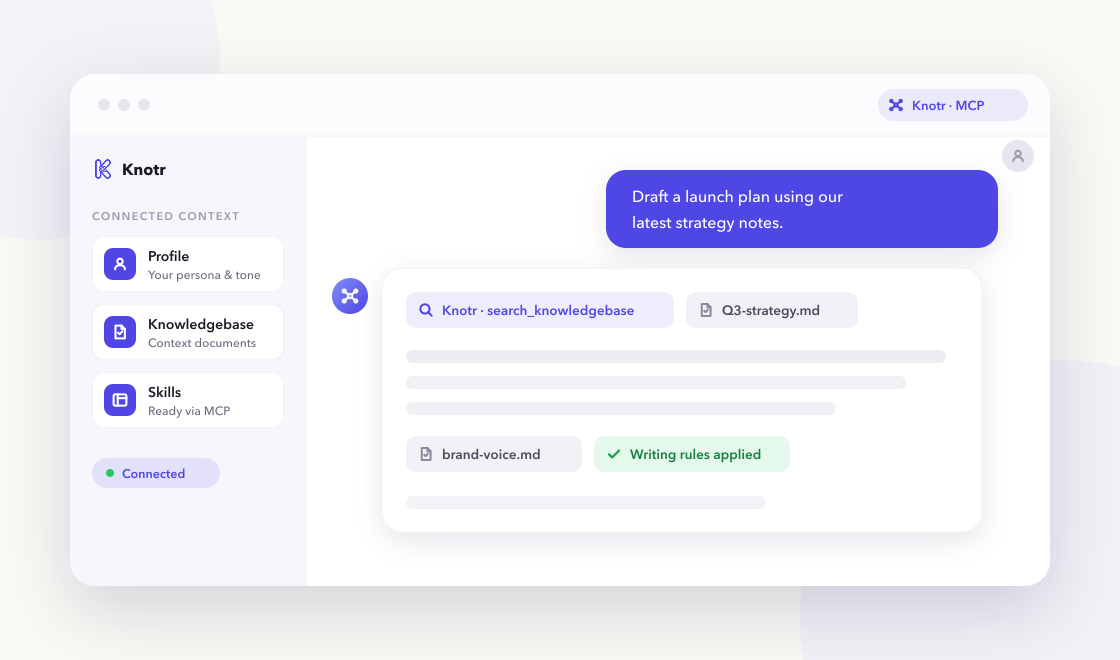
A chat-based AI assistant referencing Knotr profile, knowledgebase, and skills over MCP

Why it helps

Communication-heavy roles repeat audience knowledge and formatting rules in every session. Knotr stores that once and exposes it through MCP for consistent output.

  • Draft executive summaries, release notes, and technical outlines in your voice

  • Reuse audience and tone preferences across tools

  • Enforce structure for leadership-ready updates

Skills ready on day one

3 vetted skills with 69 community additions linked to your profile as soon as you apply the pack.

Call these from your AI tools right away.

One-page summaries for leadership from long reports or specs.

Distills long reports, specs, or analyses into one-page executive summaries with decision, recommendation, risks, and ask—written for leaders who will not read the appendix.

executive writing summary
By @knotr_catalog · Writing & Communication 27 additions

Release notes from PR titles, labels, and migration notes.

Turns merged PRs and internal notes into user-facing release notes grouped by Added, Changed, Fixed, and Security—with customer-relevant impact, not internal refactors.

changelog release-notes
By @knotr_catalog · Writing & Communication 23 additions

Post structure, headings, and code-example placeholders for eng blogs.

Produces technical blog outlines with hook, section headings, code-example placeholders, and takeaway—suited for engineering audiences who want depth without fluff.

blog technical writing
By @knotr_catalog · Writing & Communication 19 additions

Context your AI can search

Editable starter notes in "Communication Context" so answers reflect how your team works:

  • Audience & Voice Guide
  • Document Templates
  • Terminology & Glossary

Ideas to supplement later

  • Style guide excerpts from your org
  • Templates for exec updates and status emails
  • Glossary of product or domain terms
  • Past high-performing posts or release notes
  • Audience map (who reads what)

Writing that stays on-brand

"Professional Writing Standards". Summaries, changelogs, and technical posts with clarity first.

On eligible accounts, lint drafts from any connected AI tool with MCP check_style so PR descriptions, docs, and updates match your standards. Free accounts include one Style Guide from a Starter Pack.

  • Lead with the recommendation or TL;DR
  • Define jargon on first use for mixed audiences
  • Use active voice for procedural steps

Artifacts you might publish

Durable, shareable outputs people in this role publish with Knotr. Create yours after signup.

Document

Executive Summary

A versioned, exec-ready recap you can reopen and update as facts change.

Page

Release Notes Page

An always-current hosted changelog for a product or feature.

Common questions

Is Knotr free to start?
Yes. Sign up free with no credit card. Starter packs apply in about two minutes.
Do I need to code?
No. You can edit knowledgebase notes in the browser and connect Cursor, Claude, ChatGPT, or Gemini when you are ready.
How is my data handled?
Your knowledge stays in your workspace. See our Privacy Policy and Terms of Service for details.
Which AI tools work with Knotr?
Any MCP-compatible client, including Cursor , Claude Code , Claude , ChatGPT , and Gemini . Connected tools can keep the work as shareable artifacts. Gemini is instructions-only. For ChatGPT, open your profile's Integrations tab and click Connect on ChatGPT (one install per profile). See Works with for a short overview of each client.
Can I publish and share what I create?
Yes. Artifacts let you and your AI tools publish versioned documents and pages to a shareable link inside Knotr, and keep them in sync with your knowledgebase notes. Group several into a Collection to present them in order.

Ready to get started?

Sign up free, confirm your starter pack, and start working with role-ready context in a few clicks.

Free · no credit card · about 2 minutes